
The 2.19.0 release of the RaceCapture app is here, and it is a big one for anyone who spends time looking at their data. We have added satellite imagery to the track map, rebuilt two of the dashboard layout systems, refreshed the look of several gauges, and laid the groundwork for the next generation Podium platform.
Ready for the next generation Podium platform
The next generation Podium platform is coming very soon, and 2.19.0 is the release that gets your app ready for it.
This version can talk to both the current Podium platform and the new one. It connects to the Podium system you use today, and when we make the switch, the app will follow along on its own. We’ve worked hard to keep you from being stranded: there is no second update to install on race weekend and no window where your app suddenly cannot reach Podium.
What this means for you
Update now, ahead of the big transition, and you are set. This is the whole reason we shipped the capability early rather than at switchover time. If you only update your app once a season, make this the one.
Satellite imagery comes to the Map View gauge
The Track Map gauge has grown up. It is now called the Map View gauge, and it can render your driving line on top of real satellite imagery ini addition to the high contrast track-map outline.
Seeing your line against actual pavement, curbing, and runoff changes what you can learn from a lap. A track outline tells you the shape of your line. Satellite imagery tells you where that line sits on the road: how much curb you are actually using, whether you are truly tracking out to the edge on exit, and how much of the corner you are leaving unused. That context is hard to get from an outline alone, and it is very hard to get from memory after the session.
You can switch between track map and outline by pressing the map layers icon in the gauge. Once selected, the Map View gauge will remember your setting.
Two dashboard layout systems, rebuilt
Both dashboard layout designers received significant updates, which will make it easier to organize your data.
Flow view is now a nestable block layout
Flow view has been migrated to a nestable blocks layout that offers more flexibility for organizing your gauges. Instead of fighting with a fixed arrangement, you can now compose rows and columns and nest them, which makes it far easier to build a dashboard where the important channels are large and the supporting channels tuck in around them. Your existing dashboards migrate over automatically.
Snap to grid for Freeform dashboards
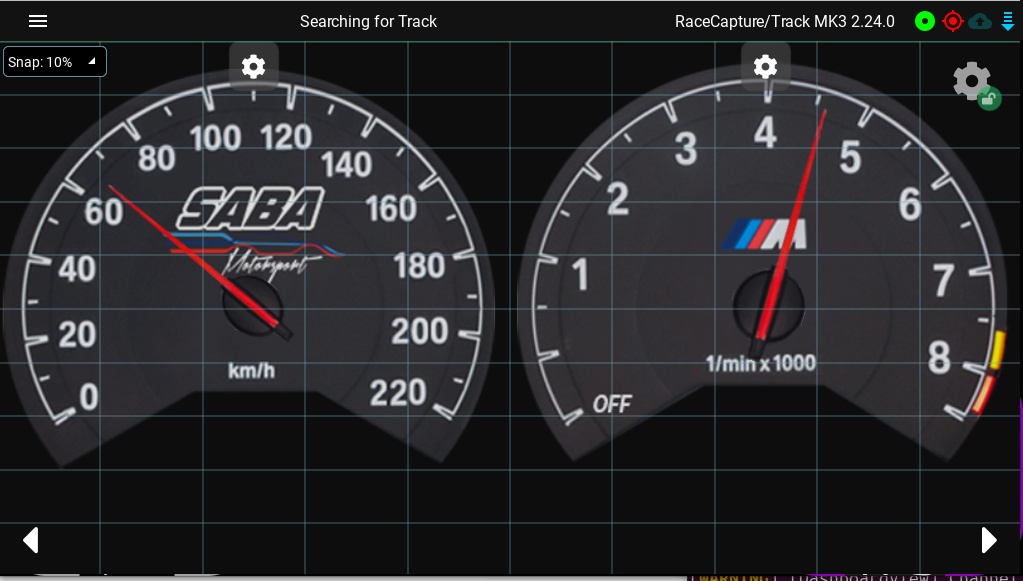
Freeform view gives you complete control over gauge placement, and that freedom used to include the freedom to be a few pixels off. Freeform now snaps gauges to a grid as you drag and resize them, so panels line up and size consistently, making it faster to build dashboards with precise alignments.
Refreshed gauge graphics
A few gauges got a visual pass in this release.
- Overview gauge: updated graphics for a cleaner, more modern look at a glance.
- Digital gauge: the default design is now a colored outline, which reads more clearly on a dashboard at speed.
- Multi lap digital gauges: when you are comparing laps, digital gauge elements now use their assigned lap colors, so the number you are reading matches the lap color you are looking at on the chart. Single gauge elements keep the familiar high contrast coloring.
Faster, more reliable telemetry connections
Two connection paths got meaningful performance work. Both require the upcoming 2.25.0 firmware and apply to RaceCapture/Track MK4 and PodiumConnect/Micro.
Bluetooth LE link negotiation
We tuned how the app negotiates the Bluetooth LE connection, including requesting a larger data packet size and moving to the faster 2M radio mode at the right point in the handshake. The result is more data per second over the same link. If you have been running BLE and wishing it felt a little snappier, this is that.
WiFi telemetry connection streaming
WiFi telemetry streaming to the app now streams more efficiently, removing extra transmission overhead. You should see a smoother, lower latency stream to your dashboard once the 2.25.0 firmware becomes available.
Lap timing calculations moved into the firmware
Lap Delta and Best Lap used to be calculated inside the app. For a long time they have also been handled directly by the firmware, so now we’re removing the redundancy and the app simply displays what the system reports.
This is a better arrangement for a few reasons. The calculation happens on the device that owns the GPS data, so it is consistent no matter which app, dashboard, or display you are looking at, and it keeps working whether or not a phone or tablet is connected.
A predictive time as soon as you cross start/finish
Because the firmware now loads the predictive timer buffer at power up, the lap timer gauge can show a predictive time on your very first crossing of start/finish rather than making you complete a reference lap first. The gauge shows the predictive time when there is no current lap yet, so the display is useful from the moment you roll out. (with 2.24.0 or newer firmware support)
More fixes and refinements
A long list of papercuts got fixed in this release. A few worth calling out:
- Heat Chart: better marker contrast, corrected color brightness, fixed rendering when displaying by time, and fixed rendering errors in live telemetry mode.
- Heat trace on the track map: now updates live and stays in sync with the data as distance progresses.
- Time Delta chart: resolved rendering and calculation errors.
- Track map stability: fixed a crash when removing points from a path in the track builder, and resolved an error when removing a track under Setup / Race Tracks.
- Overview gauge: now reads the correct channel for tire pressure.
- Configuration handling: fixed an error saving or reading configuration when the cached config file directory was missing or incorrect.
- Session details: editing an analysis session name no longer overwrites the session time and date.
- Telemetry diagnostics: the app now reports app and device version information when streaming telemetry, which helps us support you when something looks wrong.
- Raspberry Pi: fixed the Podium login issue and an app launch failure on Pi builds.
- Android compatibility: restored support for Android 5.0 and later, so the app keeps installing on older devices.
Available on all Platforms. Seriously.
Android: Download from Google Play
iOS: Download from the iTunes App Store
Amazon Fire: Download from the Amazon app store
Windows: Download Direct
OSX: Download Direct
Linux: Download Direct
Raspberry Pi: Download Direct or re-install using install script
Full Changelog
==2.19.0==
* New: Satellite map view mode added to trackmap view; gauge renamed to Map View
* New: Add snap-to-grid for Freeform dashboard view
* New: Flowview dashboard upgraded to nestable blocks layout
* New: Improved graphics for Overview Gauge
* New: Support for nextgen Podium platform
* New: Update default design for digital gauge to a colored outline
* Fix: Ensure digital gauge multi-lap selection shows the selected lap color
* Fix: Error saving or reading config when cached confir file dir is incorrect or missing
* Fix: Improve BLE link negotiation for faster performance (Requires firmware >= 2.25.0)
* Fix: Include app/device version diagnostics when streaming telemetry via app
* Fix: Remove LapDelta / BestLap calculations within app (now moved to firmware)
* Fix: Improve performance of telemetry stream via WiFi (Requires firmware >= 2.25.0)
* Fix: Allow for directly selecting the device when uploading to a Podium event, saving a step
* Fix: Don't update session time/date when updating analysis session details
* Fix: RPi build login issue with Podium
* Fix: Fix app launch issue on RPi
* Fix: Resolve error when removing race track from Tracks setup
* Fix: Improve Heat Chart marker contrast, time-mode rendering issues, and color brightness
* Fix: Resolve Heat Chart rendering errors when in live telemetry mode
* Fix: Resolve Rendering / calculation errors in Time Delta chart
* Fix: Resolve Track map crash when trying to remove points from path
* Fix: Ensure Overview Gauge has correct channel for tire pressure
* Fix: Heat trace on track map does not update live
* Fix: Ensure track map gauge heat map stays in sync with data