
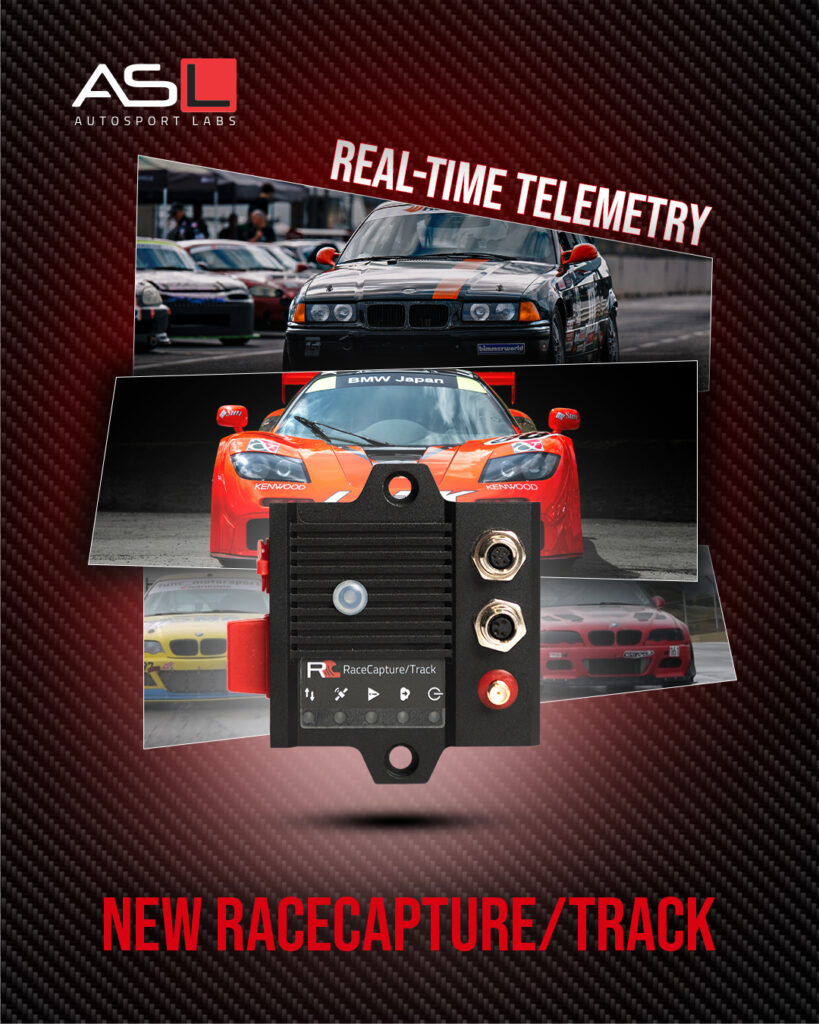
Support for the new RaceCapture/Track
Edit from the future: be sure to update to the latest 2.23.3 firmware for RaceCapture/Track and PodiumConnect/Micro!
New with this release is support for the 4th generation RaceCapture/Track real-time telemetry system – an incredibly powerful, compact system loaded with features such as true sub-meter GPS/GNSS, dual CAN bus networks, onboard accelerometer/gyro, Driver ID / heart rate sensing, direct TPMS sensor integration, and much more.
Direct TPMS support
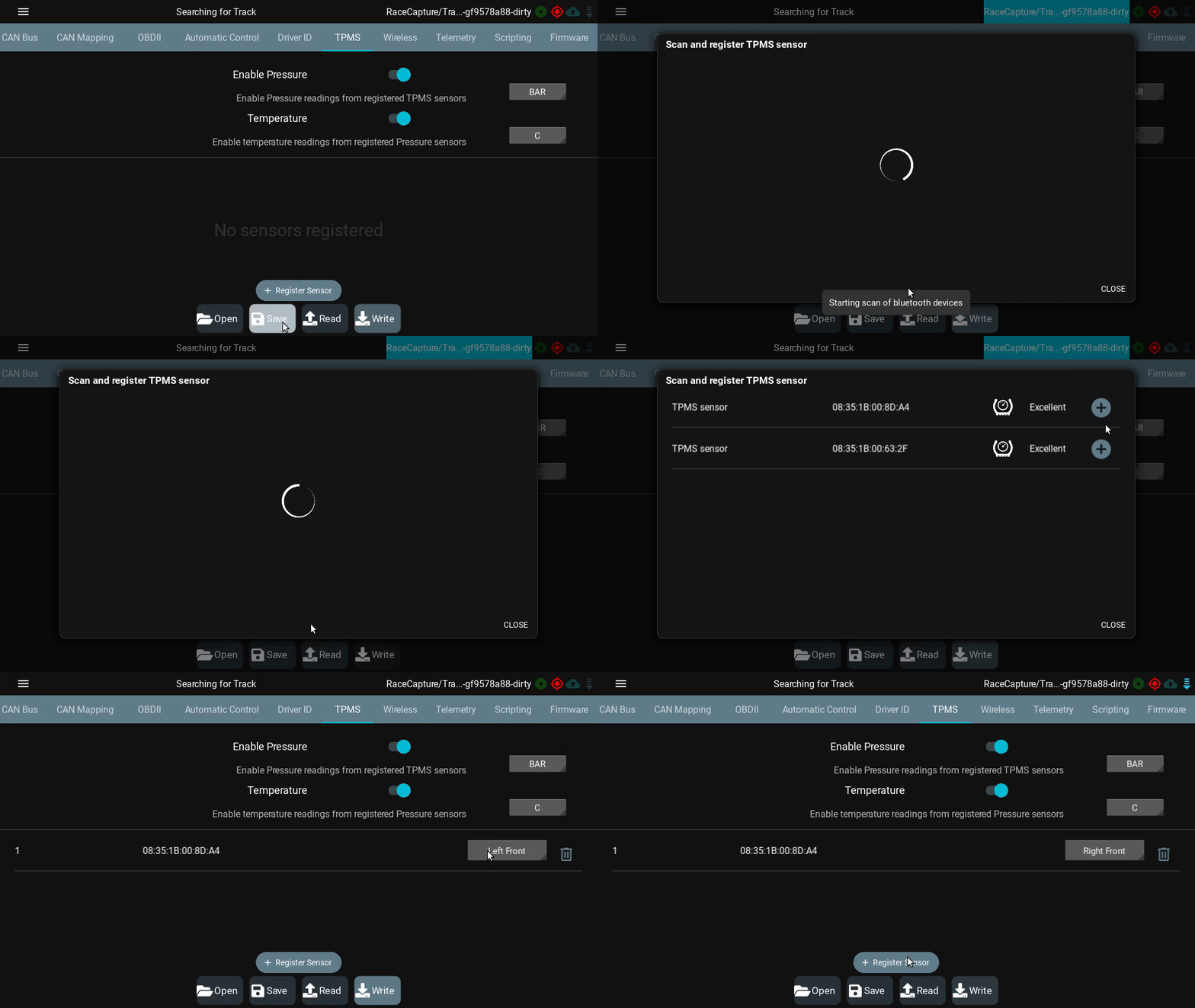
Combined with the 2.23.x firmware release, the 2.18.0 version of the app adds the TPMS setup tool, bringing native and direct TPMS sensor capability.
How it works
With the new TPMS support, your system receives pressure and internal temperature readings directly from the sensors mounted on the wheel – no external third-party box is needed.
Register up to 16 sensors (4 sets of wheels)
Since no external box is needed, the support is baked right into the system, allowing maximum setup flexibility. You can register up to 16 sensors and assign them to wheel corners. 16 sensors means you can swap 4 full sets of wheels without re-configuring your system, giving you more time to focus on racing!
TPMS Sensor Compatibility
The TPMS support is exclusively compatible with our Bluetooth-based TPMS sensors, and are not compatible with OEM-style sensors as those sensors use an older technology radio protocol.
System Compatibility
The new TPMS support is only compatible with the new RaceCapture/Track and PodiumConnect/Micro as these systems support Bluetooth LE, allowing direct connectivity to the sensors.
See our video on how to configure TPMS sensors with the new tool:
Bluetooth LE support
New with 2.18.0 and the latest 2.23.x firmware is support for Bluetooth LE, exclusively for the new RaceCapture/Track and the PodiumConnect/Micro systems.
This adds an additional connection option for Android devices on top of WiFi. Bluetooth LE also allows future support for iOS devices; watch for this support in an upcoming app release.
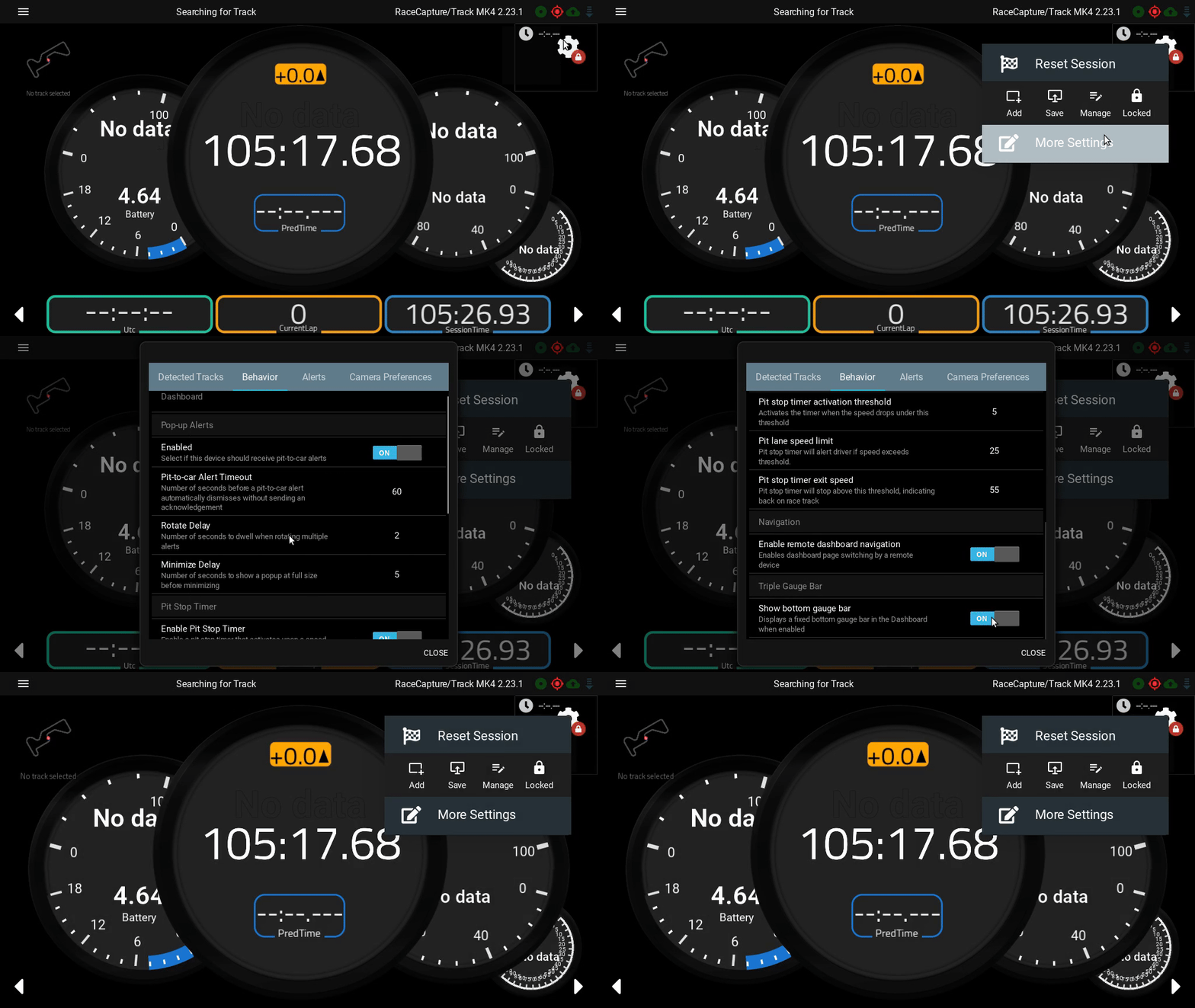
Make Bottom dashboard bar visibility customizable
By popular request! Now, the bottom gauge bar common to all dashboards can be hidden through a new dashboard setting:
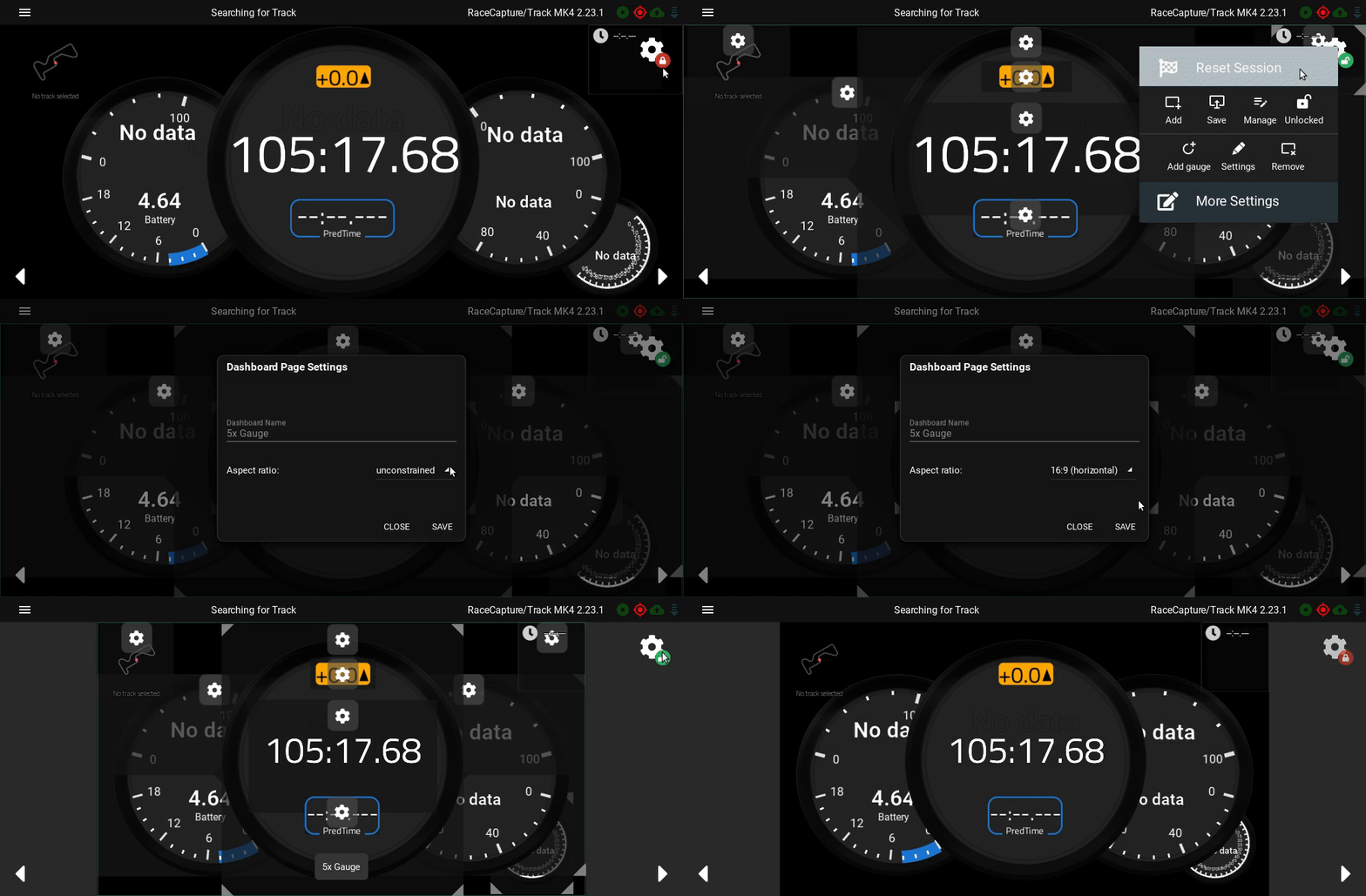
Allow dashboard / analysis pages to be constrained by aspect ratio
Now you can constrain your dashboard and analysis pages by aspect ratio. This will ensure your gauge layouts maintain the positions and ratios you originally designed, regardless of the size/shape of the containing window.
Hint: this is a needed capability for the Video+data export feature coming soon
UX improvements and fixes
We’ve made a number of improvements in the overall user experience. Here are a few highlights – see the full changelog below for the full list of improvements:
Better ESC / Back Button management
Now, when you press ESC / back on your device, nested popups and dialogs will dismiss in the right order. This is a perfect example of a papercut that we personally found annoying, and we’re sure you experienced it as well. With great relief we’ve finally fixed it!
App orientation set to “Any” by default
For mobile users, the app orientation will be set to Any/all orientations by default, allowing automatic rotation of the screen depending on how you hold the device. This will allow for a smoother first-time experience with the app. This setting can be changed later under Setup / App Preferences.
Presets navigation improvements
We’ve also brought a more modern, smoother touch to browsing presets throughout the system, for a better overall experience.
Windows app releases – will now replace previous versions vs side-by-side install
Installing app versions side-by-side has its benefits, but is ultimately more of a hinderance than help. 2.18.0 is the first version that will allow future app versions to install over the top of existing installations. This also sets the stage for us to deploy the RaceCapture app via the Microsoft app store.
Available on all Platforms. Seriously.
Android: Download from Google Play
iOS: Download from the iTunes App Store
Amazon Fire: Download from the Amazon app store
Windows: Download Direct
OSX: Download Direct
Linux: Download Direct
Raspberry Pi: Download Direct or re-install using install script
Full Changelog
==2.18.0==
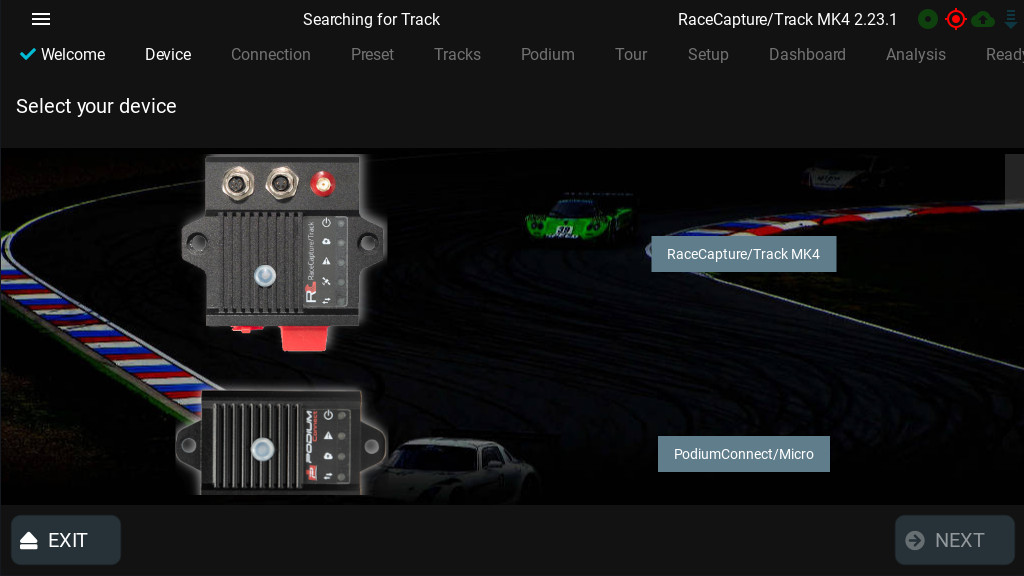
* New: Add RaceCapture/Track MK4 to setup wizard
* New: Add BTLE connection support for compatible systems (RaceCapture/Track MK4, PodiumConnect/Micro)
* New: Add TPMS setup page for compatible systems (RaceCapture/Track MK4, PodiumConnect/Micro)
* New: Support logfile channel precision for import / export
* New: Make bottom dashboard bar visibility customizable
* New: Add option to enable/disable thermal image gauge scale
* New: Allow dashboard / analysis pages to be constrained by aspect ratio
* Fix: Make back button / ESC key dismiss dialogs and current operations to improve UX
* Fix: Change app orientation to "Any" by default to improve UX
* Fix: Adjust position of various on/off switches in setup to be more accessible
* Fix: Windows installer no longer creates multiple versions -- starting with 2.18.0, future releases replace the previously installed version dur>
* Fix: Always make import button visible on logfile import screen
* Fix: Clarify the "send telemetry from app" option under app preferences to avoid user confusion
* Fix: Make window resizing more efficient
* Fix: Improve design, usability, and consistency of pop-up dialogs
* Fix: Thermal image gauge crash that prevented normal operation
* Fix: Improve UI/UX of presets navigation system
* Fix: Only scan for candidate devices when flashing firmware on MacOS