

Edit from the future: be sure to update to the latest 2.23.3 firmware for RaceCapture/Track MK4 and PodiumConnect/Micro!
Support for the new RaceCapture/Track
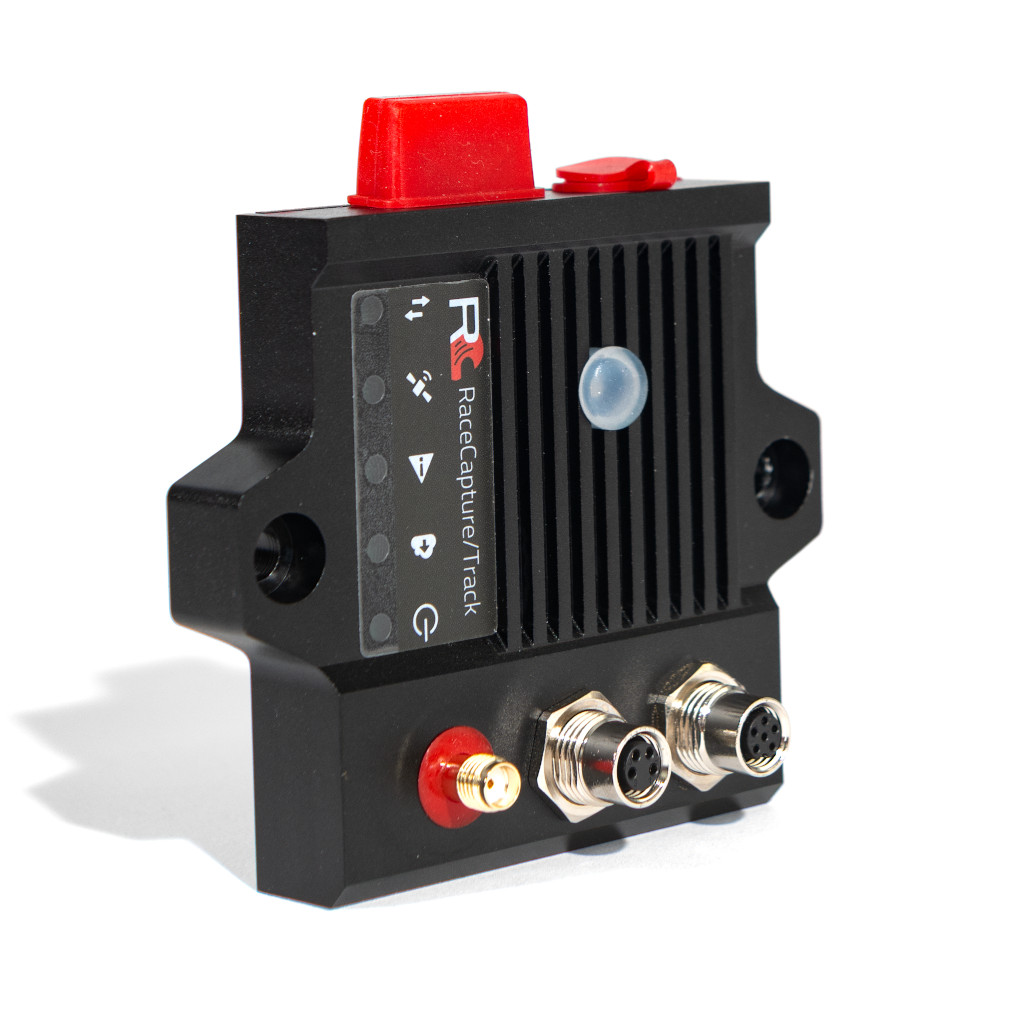
New with this release is support for the new, 4th generation RaceCapture/Track – a powerful new real-time telemetry system featuring true sub-meter GPS / GNSS, Dual CAN bus connectivity, onboard IMU, and 4x more powerful processor – all wrapped in a gorgeous, IP65 rated housing.
Direct TPMS support for RaceCapture/Track MK4 and PodiumConnect/Micro
Brand new with this version is the ability to integrate directly with our TPMS sensors, exclusively for the new RaceCapture/Track and PodiumConnect/Micro. These TPMS sensors use Bluetooth for communication, allowing for direct connectivity – no external box needed. TPMS support also requires the new RaceCapture app 2.18.0 to access the configuration screens.
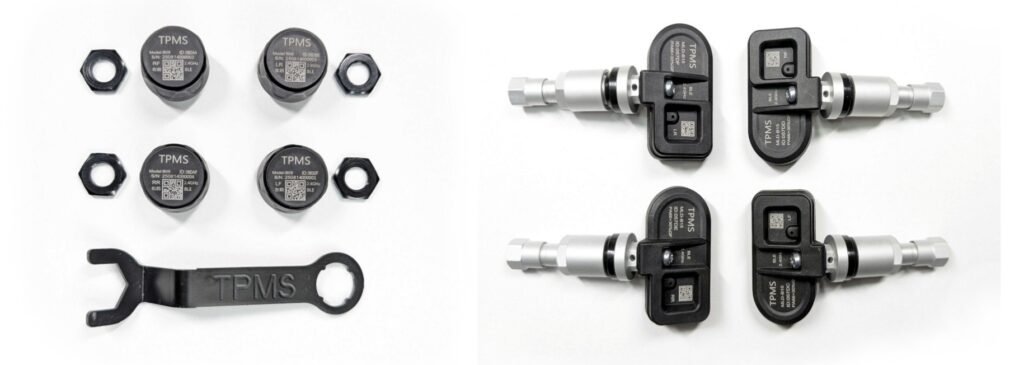
Note, TPMS compatibility only works with our TPMS sensors: OEM sensors are not supported as they use a different radio technology.
Bluetooth LE app compatibility for RaceCapture/Track MK4 and PodiumConnect/Micro
We’ve added Bluetooth LE as a connection type for our systems, available only for the new RaceCapture/Track and PodiumConnect/Micro. This connectivity option is currently available for the RaceCapture app on Android (version 2.18.0 and newer). Bluetooth LE Connectivity for iOS will be coming in the future.
Additional RAM for Lua scripting
We’ve unlocked a small amount of RAM that will help users running on RAM-constrained systems like RaceCapture/Track MK2-3 and RaceCapture/Pro MK2-4. The additional RAM will help those running Lua scripts that are frequently bumping into issues running out of RAM.
Stability and reliability improvements
We’ve made a number of stability and reliability improvements that will ensure reliable and smooth operation for your system. See the full change log below for additional details.
How to upgrade firmware
Step 1 – backup your current configuration
Using your windows, Linux, or OSX computer, connect to RaceCapture using the USB connection. Save your current configuration to a file by navigating to Setup, and pressing the Save button.
Step 2 – Download the firmware for your device
Download your firmware from http://podium.live/software , ensuring you download the correct firmware for your device and generation (MK2, MK3, etc).
Step 3 – Upgrade your firmware
Navigate to Setup / Firmware and upgrade your firmware using the on-screen prompts.
Step 4- Restore your configuration
Once the firmware is upgraded, go to Setup , Load the configuration you just saved, and press ‘write’ to write it back to your system. You are now upgraded!
Troubleshooting (PodiumConnect/Micro specific)
With PodiumConnect/Micro, if the app has a problem searching when performing the firmware upgrade, try these steps:
* First ensure your system is not connected to 12v.
* Right before browsing for the firmware file, unplug the system from USB
* Now browse and select the firmware file
* Immediately following, plug the system back into USB while holding down the clear button on top of your system. Hold it for 2 seconds after plugging in, then release.
* The system should find the bootloader soon after this.
Full changelog
=2.23.1=
* Fix: Ensure CPU resets into bootloader when flashing firmware (PodiumConnect/Micro, RaceCapture/Track MK4)
=2.23.0=
* New: Support for RaceCapture/Track MK4
* New: Bluetooth LE app connectivity for RaceCapture/Track MK4 and PodiumConnect/Micro
* New: Direct TPMS support for RaceCapture/Track MK4 and PodiumConnect/Micro
* Fix: General stability improvements
* Fix: Resolve intermittent corrupt USB data
* Fix: Mitigate crash risk when multiple clients are connected
* Fix: Recover 5K of RAM for for RaceCapture/Track MK2-3, RaceCapture/Pro MK2-4, RaceCapture/Apex and PodiumConnect MK1-2 systems
* Fix: Ensure BestLap / LapDelta are disabled if lap timing is also disabled